Get Smart Tennis

Sport · Website and logo

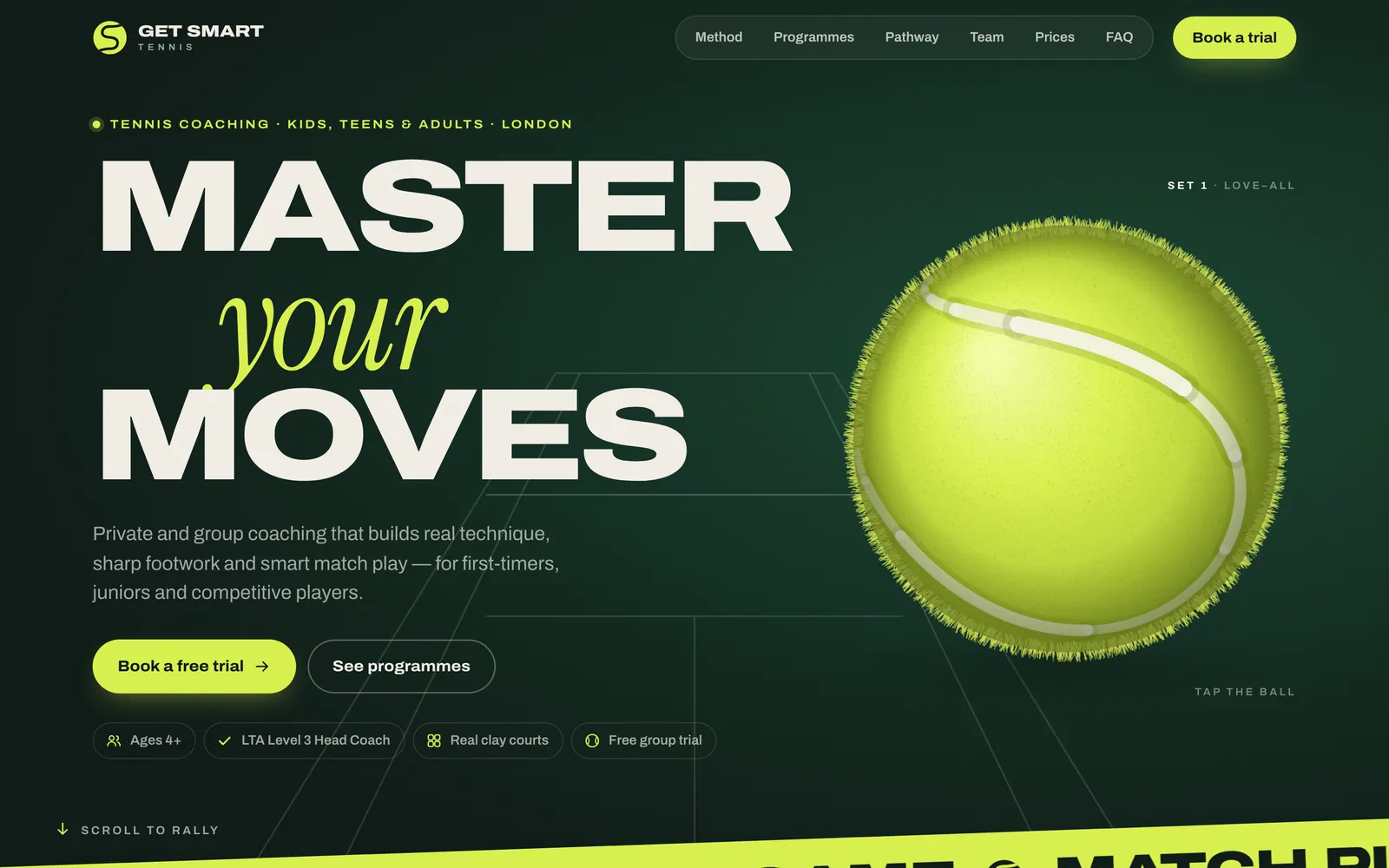
A tennis coaching site where a tennis ball with the real seam flies between the headings, waits by the rally counter and becomes the logo in the footer, with trial booking and 10 logo concepts.

Get Smart Tennis: website, first screen
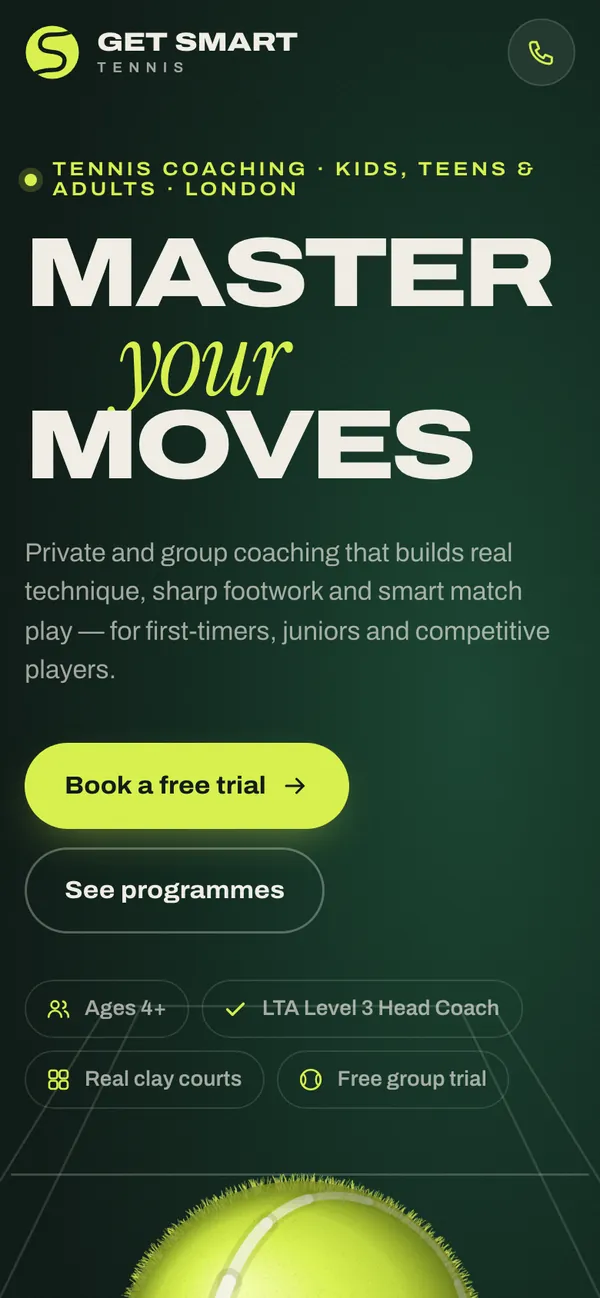
Get Smart Tennis: website on a phone
Category
Sport · Website and logo
Live
getsmart.gainers.website
Parts explained
06
The task

The site has to bring parents and adult players to a free trial session: explain how the coaching works, help each visitor find their programme and level, show clear prices, and keep booking one step away.

What we did
  1. 01Website
  2. 02Logo concepts
  3. 03Booking
  4. 04Animation
Block by block

What each part does, and why

Real screenshots of the live site, desktop and phone. What each part does and why it is built this way.

01 / 06

The method on a court

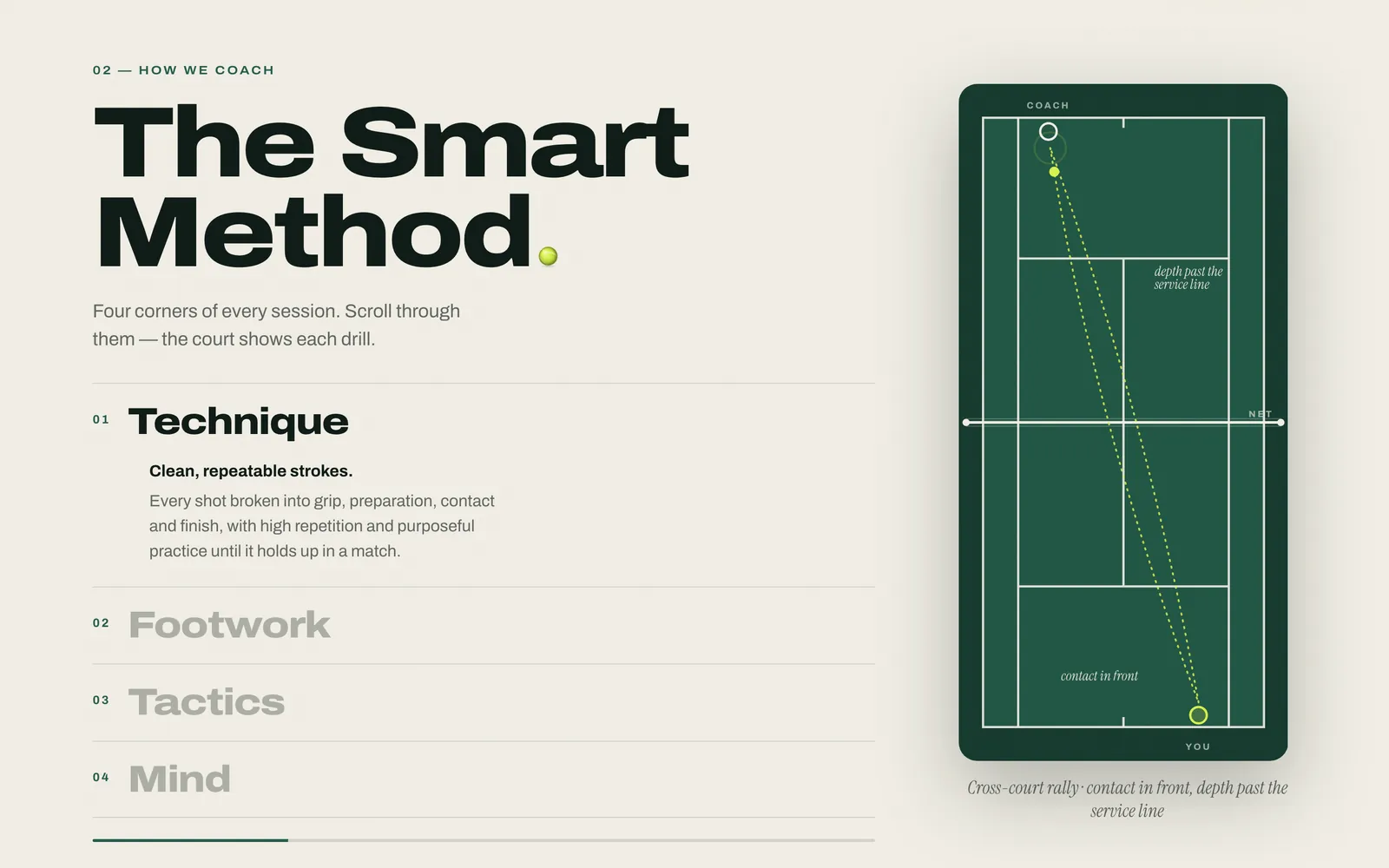
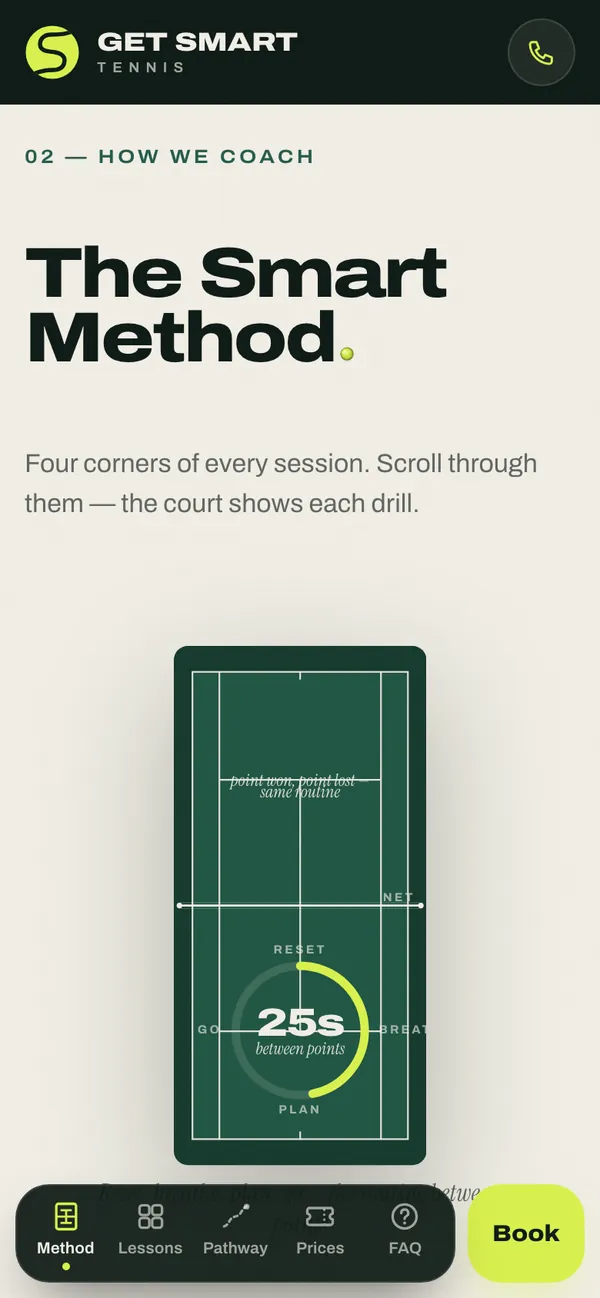
"The Smart Method" splits coaching into four parts: Technique, Footwork, Tactics and Mind. As the visitor scrolls, the court diagram beside the list changes to show each drill, from a cross-court rally with "contact in front" to the 25-second routine between points. Parents see a plan, not just "lessons".
  • Motion
  • Content
  • Structure
Get Smart Tennis: The method on a court
Get Smart Tennis: The method on a court (phone)
02 / 06

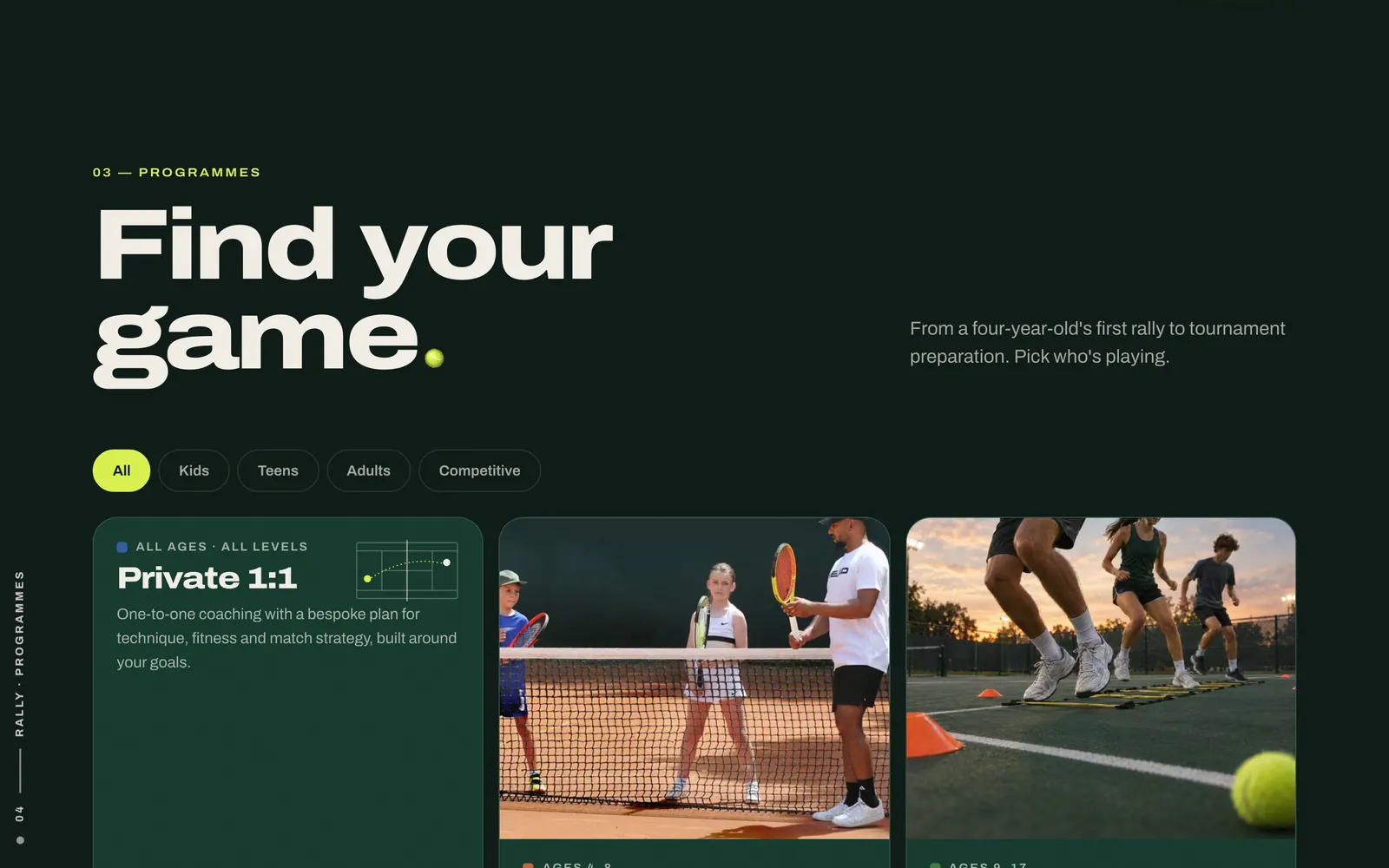
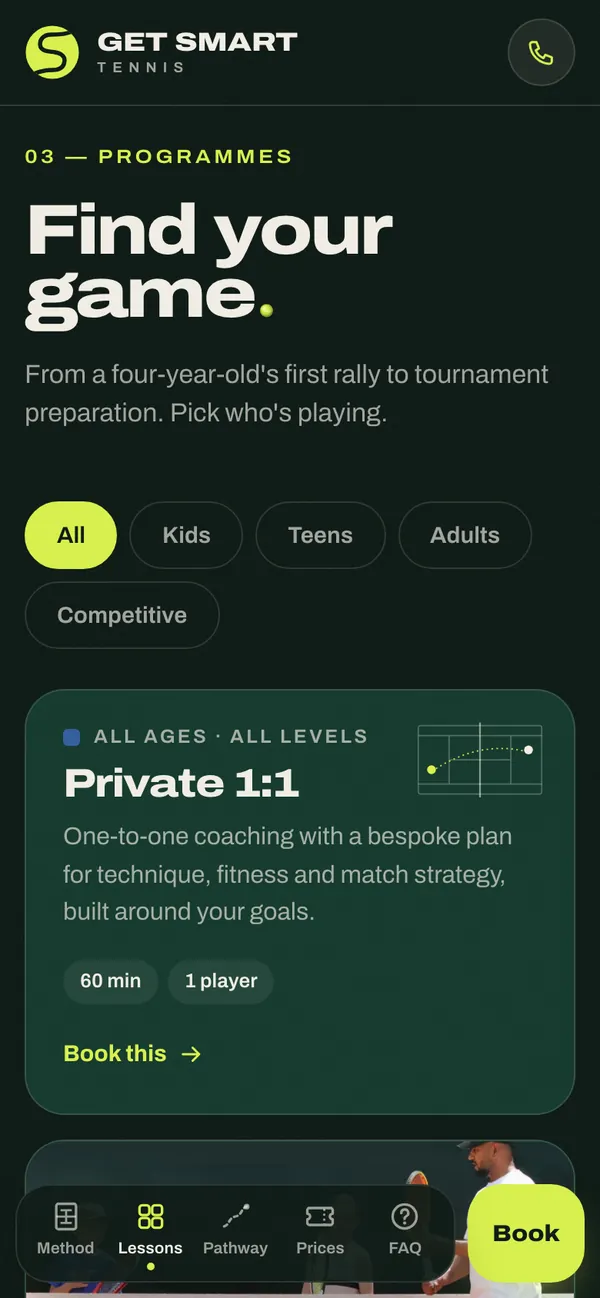
Programmes with filters

"Find your game" holds seven programmes, from Mini Tennis for ages 4–8 to Performance & Competition, and five filters (All, Kids, Teens, Adults, Competitive) answer "who's playing?" first. Every card states length and group size, such as "90 min · Squads of 4–6", and ends with its own "Book this" button. The last card offers a free session to anyone still unsure.

  • UX
  • Structure
  • Buttons · CTA
Get Smart Tennis: Programmes with filters
Get Smart Tennis: Programmes with filters (phone)
03 / 06

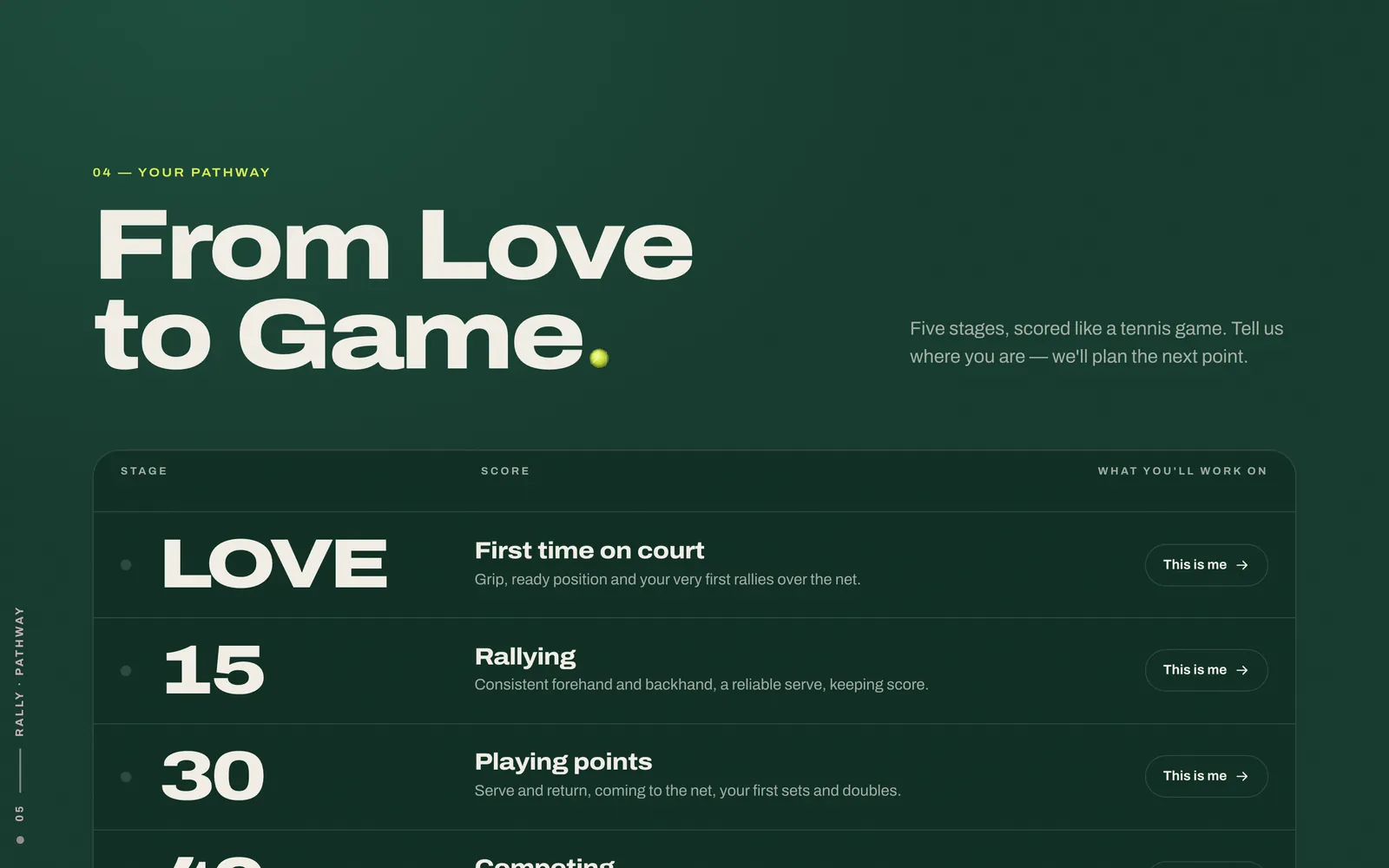
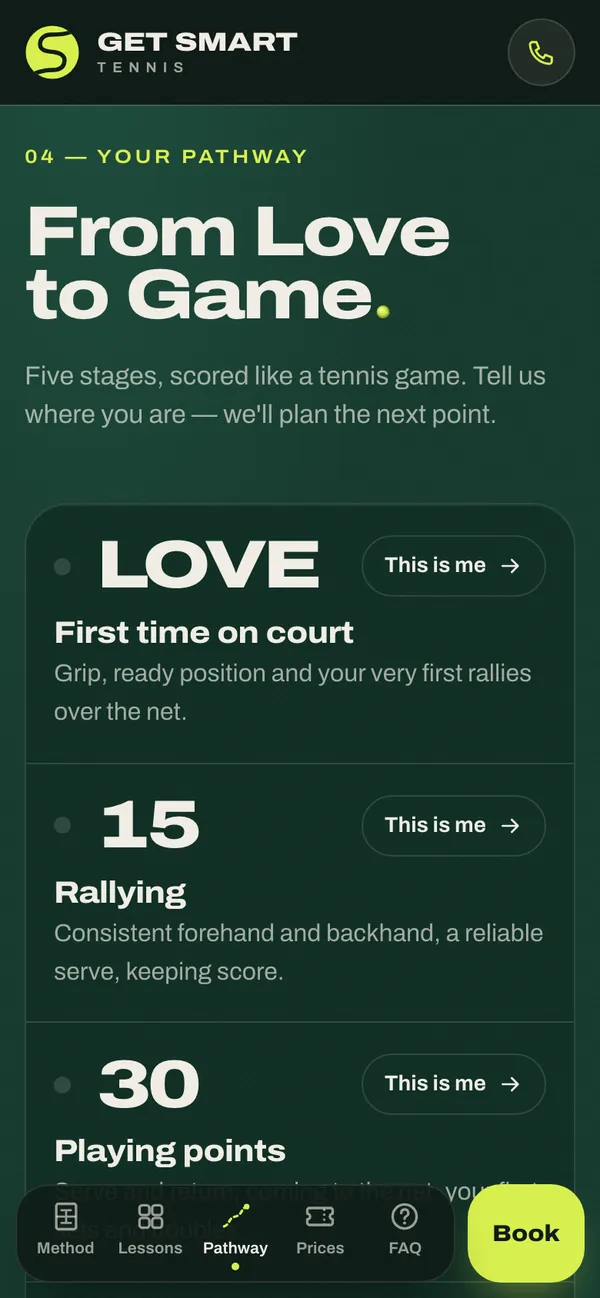
Levels scored like a game

"From Love to Game" describes five player levels in tennis scoring: Love for the first time on court, then 15, 30, 40 and Game for tournament players. Each row says what the player will work on and has a "This is me" button, so choosing a level becomes the first step of a booking rather than a test.

  • Copy
  • Brand
  • Conversion
Get Smart Tennis: Levels scored like a game
Get Smart Tennis: Levels scored like a game (phone)
04 / 06

What happens at the trial

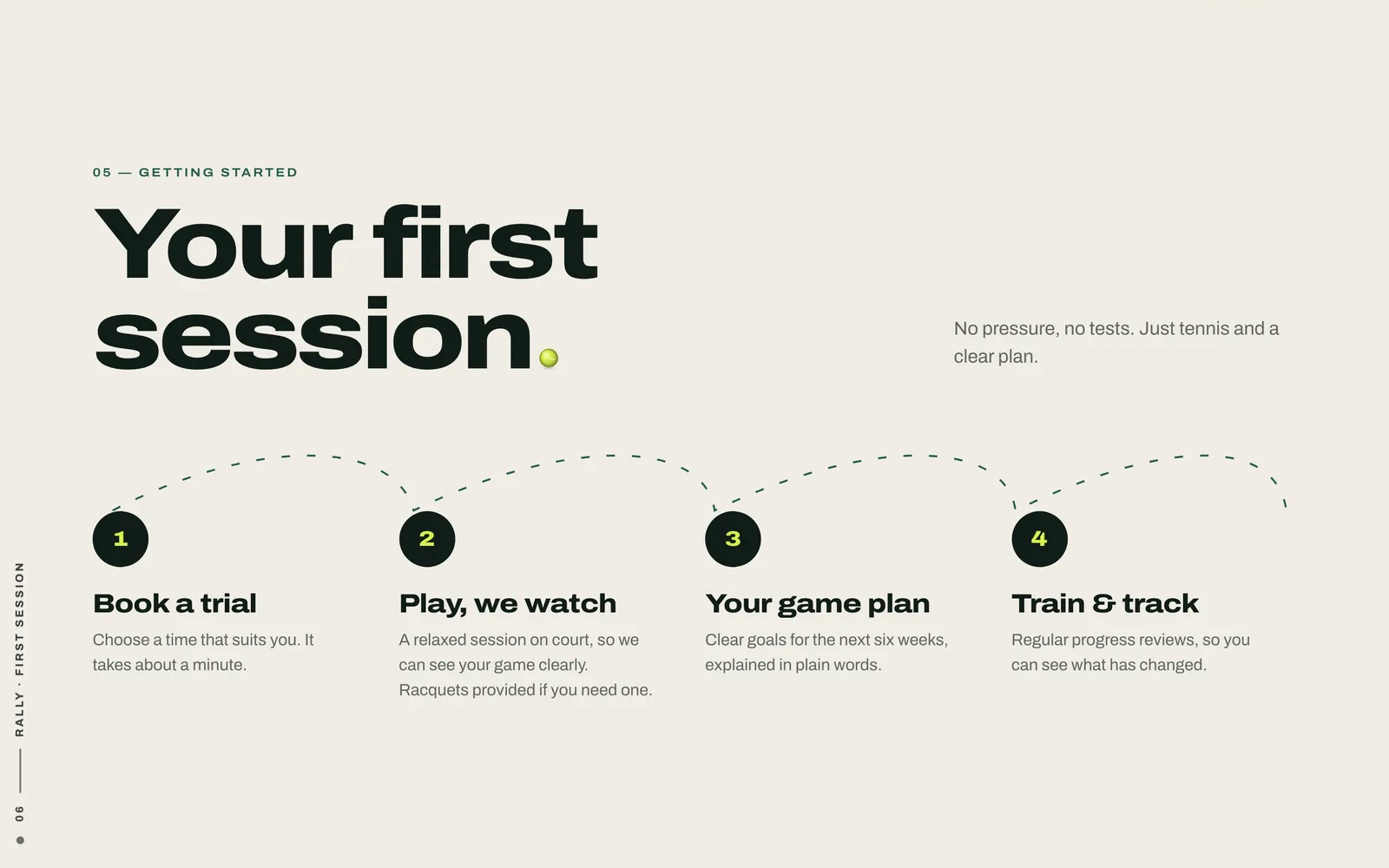
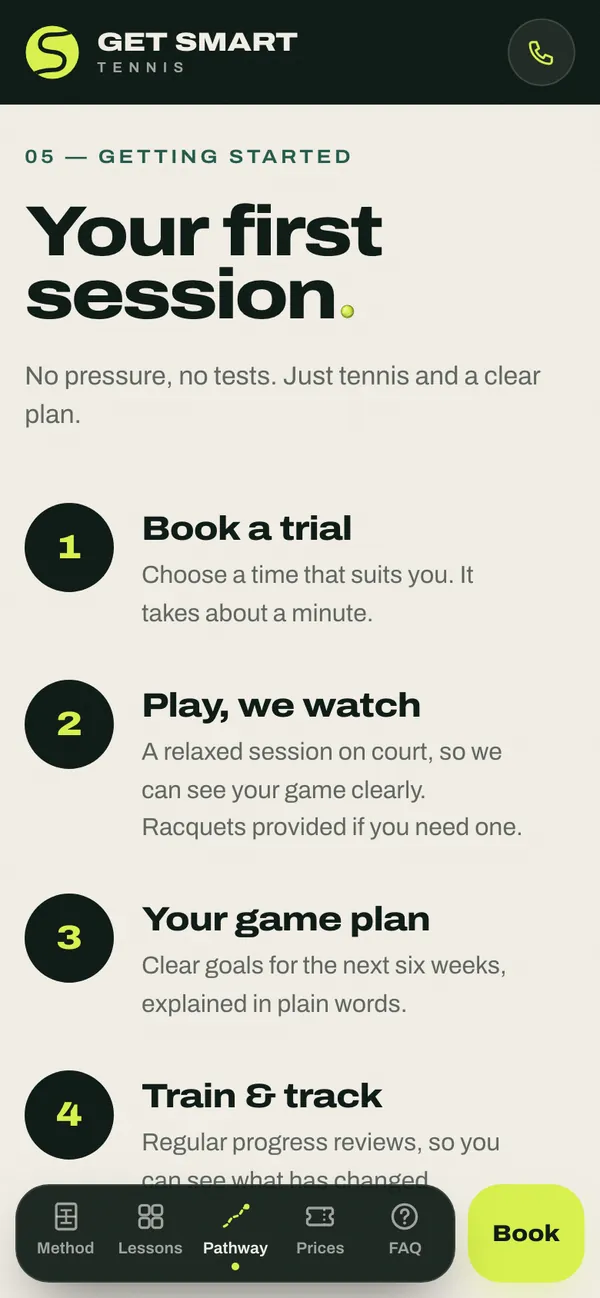
"Your first session" removes the fear of the unknown: "No pressure, no tests." Four numbered steps (book a trial, play while the coach watches, get a six-week game plan, train and track) are joined by a dotted ball path on desktop. Small details answer real worries, like "Racquets provided if you need one."

  • Trust
  • Copy
  • Structure
Get Smart Tennis: What happens at the trial
Get Smart Tennis: What happens at the trial (phone)
05 / 06

Lessons as court tickets

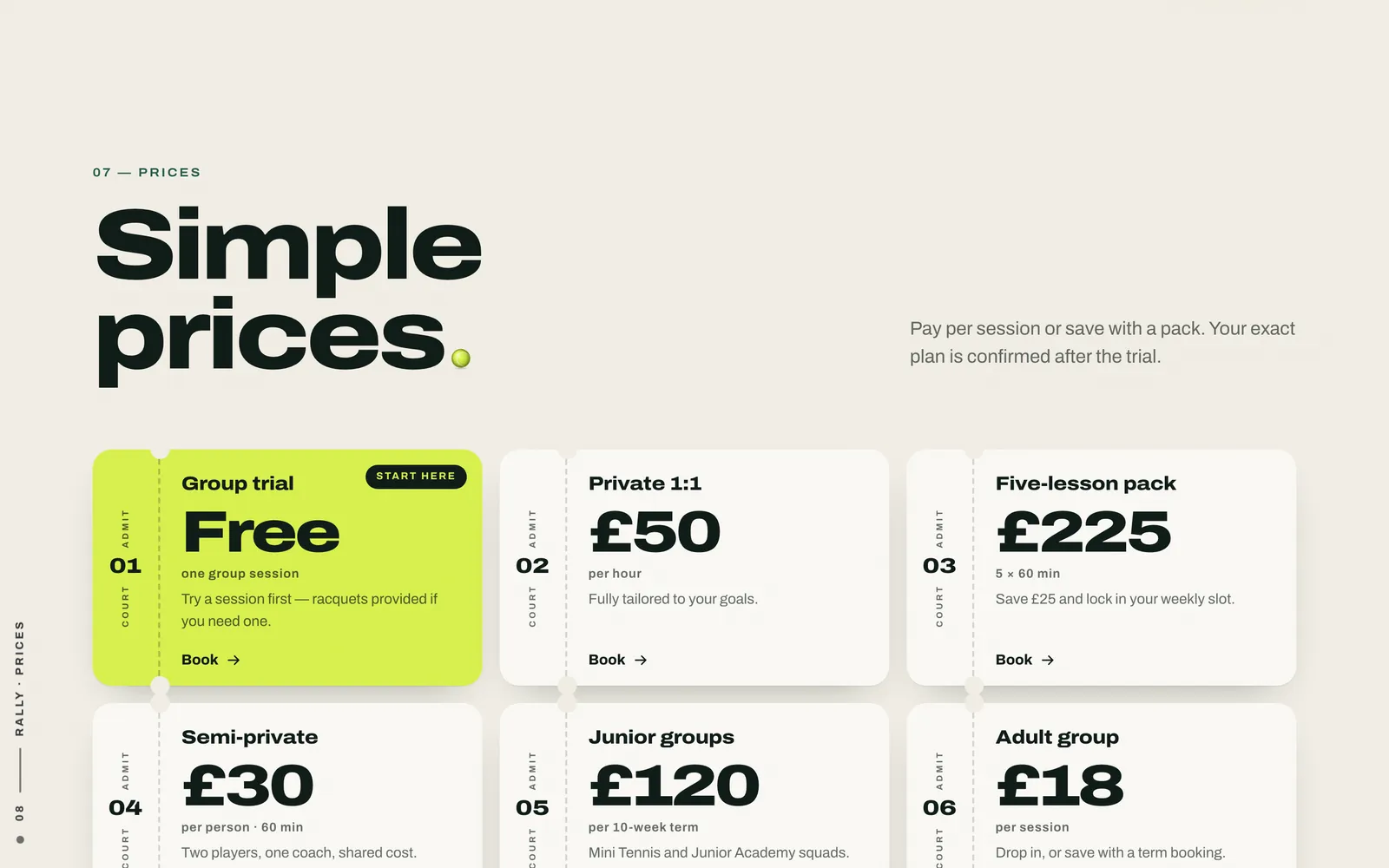
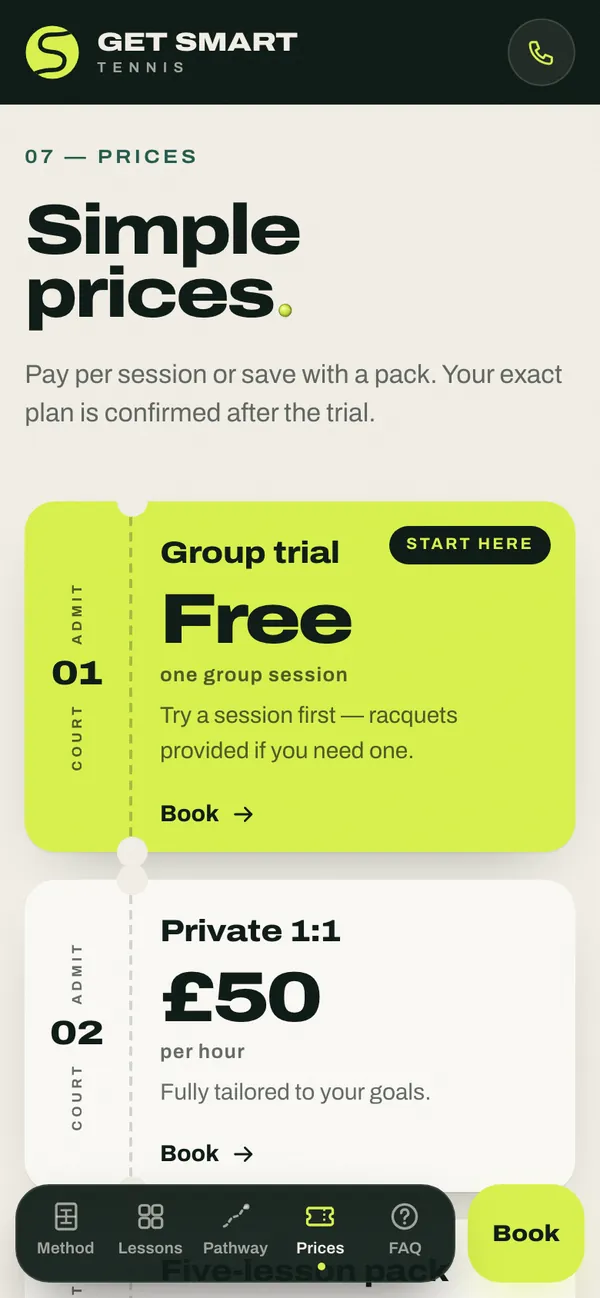
The lessons section shows six options as tickets numbered "Admit 01–06". The free group trial is highlighted and marked "Start here", followed by Private 1:1, a five-lesson pack, semi-private, junior terms and adult groups. Each ticket has its own "Book" link, and a line explains the exact plan is confirmed after the trial.

  • Conversion
  • Brand
  • Trust
Get Smart Tennis: Lessons as court tickets
Get Smart Tennis: Lessons as court tickets (phone)
06 / 06

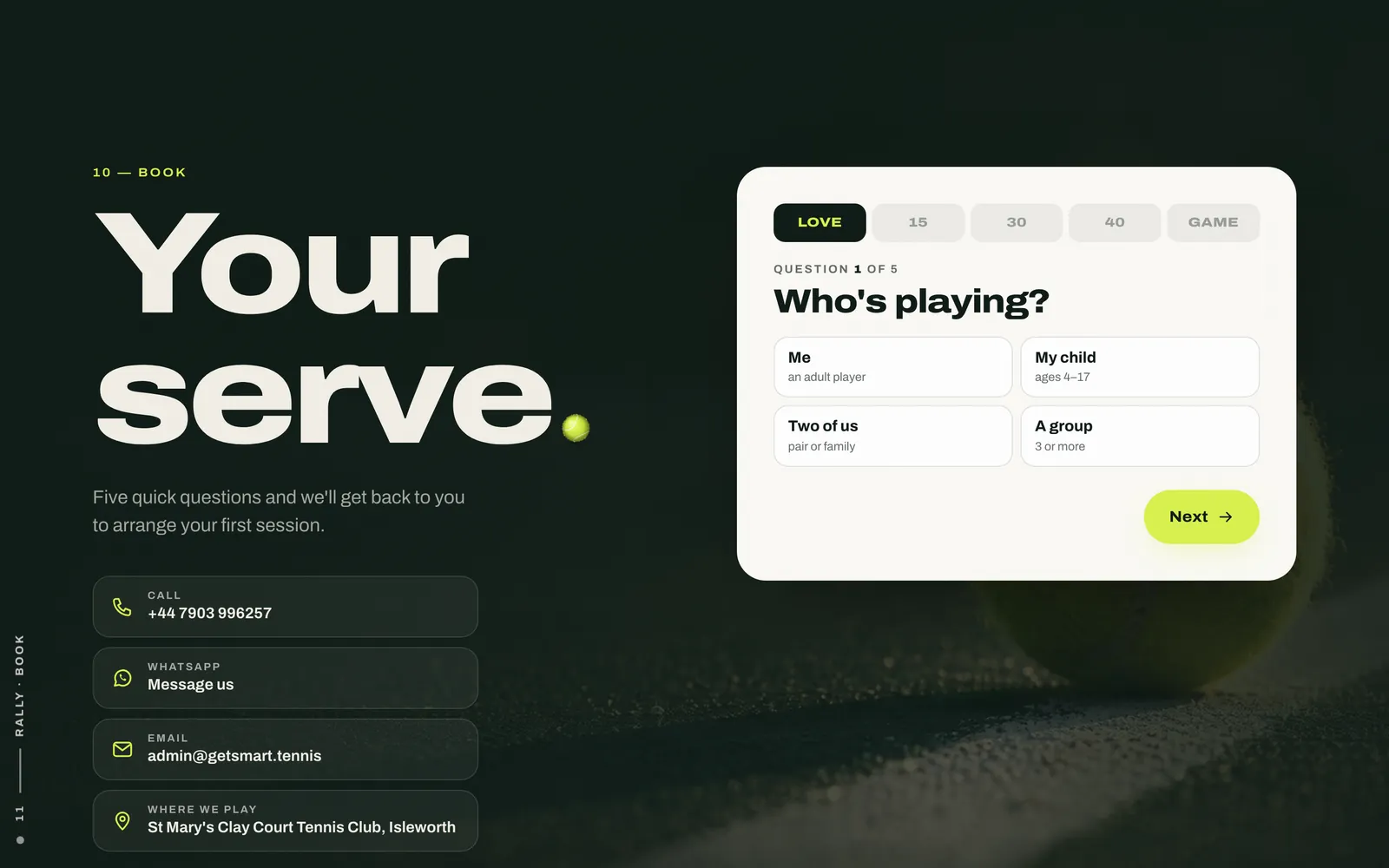
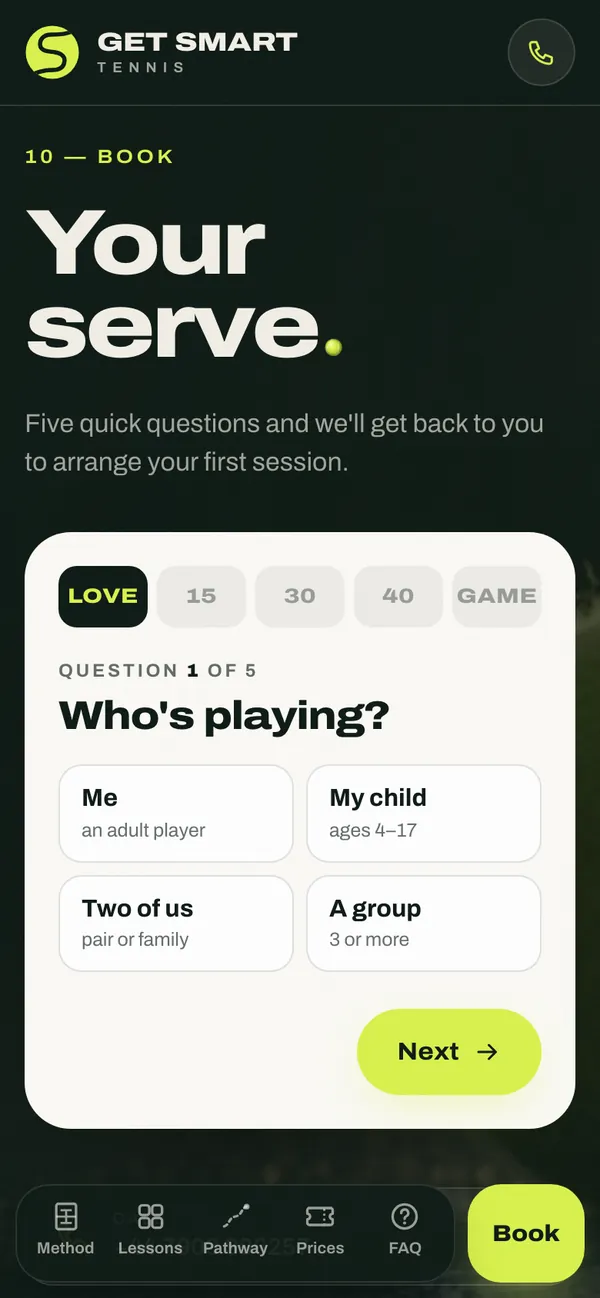
Booking in five questions

"Your serve" turns the booking form into five short questions, one per screen, with progress shown as a score from Love to Game. The first asks "Who's playing?" with four large options. Call, WhatsApp, email and the club address sit beside it, and on phones a bottom bar keeps the sections and a "Book" button in reach.

  • Conversion
  • UX
  • Mobile
Get Smart Tennis: Booking in five questions
Get Smart Tennis: Booking in five questions (phone)
Inside
  • Scroll-driven court diagram for the four parts of the method
  • Programme filter with 5 audience tabs
  • Step-by-step booking: 5 questions with a Love–15–30–40–Game progress bar
  • Mobile bottom navigation with a fixed Book button
Enquiry

Have a project like this?

Tell us in a few lines what you are making and for whom. We read every enquiry ourselves and reply personally.